Describe it once.
Get a prompt that works, first try.
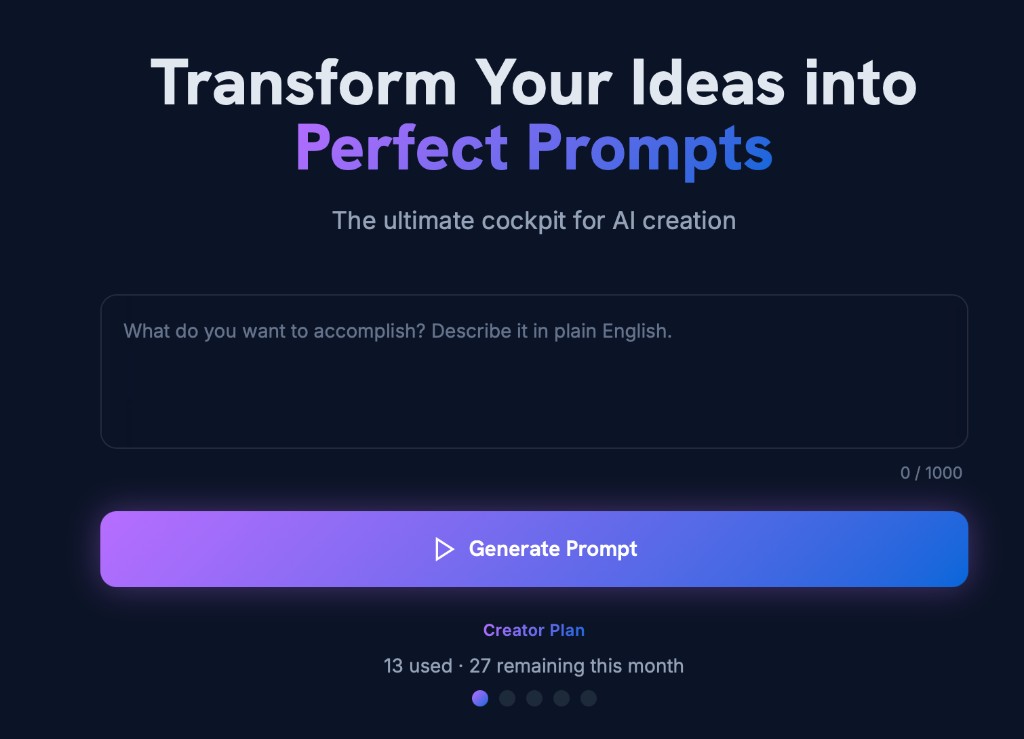
Type your goal in plain English. BuildMyPrompt figures out whether it’s writing, code, an image, research, or audio, and hands you a polished, paste-ready prompt.
Build my first promptNo credit card. 10 free prompt generations per month. Start in 30 seconds.
One tool, every kind of prompt.
Just describe the job in plain English. BuildMyPrompt works out the right approach automatically. There’s nothing to pick.
-
Write content
Blogs, emails, social posts, ad copy, and business documents.
-
Get answers & research
Summaries, analysis, comparisons, and briefs.
-
Build & fix code
Scripts, debugging help, and spreadsheet formulas.
-
Create images
Product shots, logos, ad creative, and thumbnails.
-
Make audio & voice
NewVoiceovers, narration, and music briefs.
Now available via MCP
Use BuildMyPrompt inside Claude and other MCP apps
Signed-in users can connect via OAuth. Your monthly allowance is shared across the web app, MCP, and the Skill, on the free tier and every paid plan. Works wherever MCP is supported.
Now available as a Claude Skill
Use BuildMyPrompt as a Claude Skill
Install one small Skill file into Claude, paste your license key, and generate expert prompts without leaving your conversation. Your monthly allowance is shared across the web app, MCP, and the Skill, on the free tier and every paid plan.
Which one sounds like you?
Running your business solo
You have client proposals, follow-up emails, social posts, and service descriptions all due this week. You turn to AI and it gives you something generic. You spend more time fixing the output than you saved using it. And when it comes to social media, you either post something average or you don’t post at all.
Always in meetings, always behind on the write-up
You know exactly what was decided. Getting AI to turn that into a clean summary, a status update, or a briefing note that actually reads well is another story. You end up rewriting it anyway. You also have insights from every meeting that would make great LinkedIn posts. But the moment passes because you never have time to write them.
Running a small business, wearing every hat
You need a customer response, a Google Business update, and a promo post done today. AI should make that faster. Instead you are stuck rephrasing your request three times hoping for something usable. Your social posts end up sounding like every other small business out there, and you know it.
Creating content on a deadline
Show notes, course outlines, episode descriptions, weekly newsletters. The content never stops. You just recorded a 45-minute episode or ran a two-hour workshop. There is a week’s worth of social content sitting inside it. But pulling out the right hooks and captions for each platform takes hours you do not have.
Different jobs. Same friction: AI that misses the ask. BuildMyPrompt turns one plain-English goal into a prompt that fits the work.
No prompt engineering. No rewriting. Better results, first time.
How it works
Describe it
One plain-English goal.
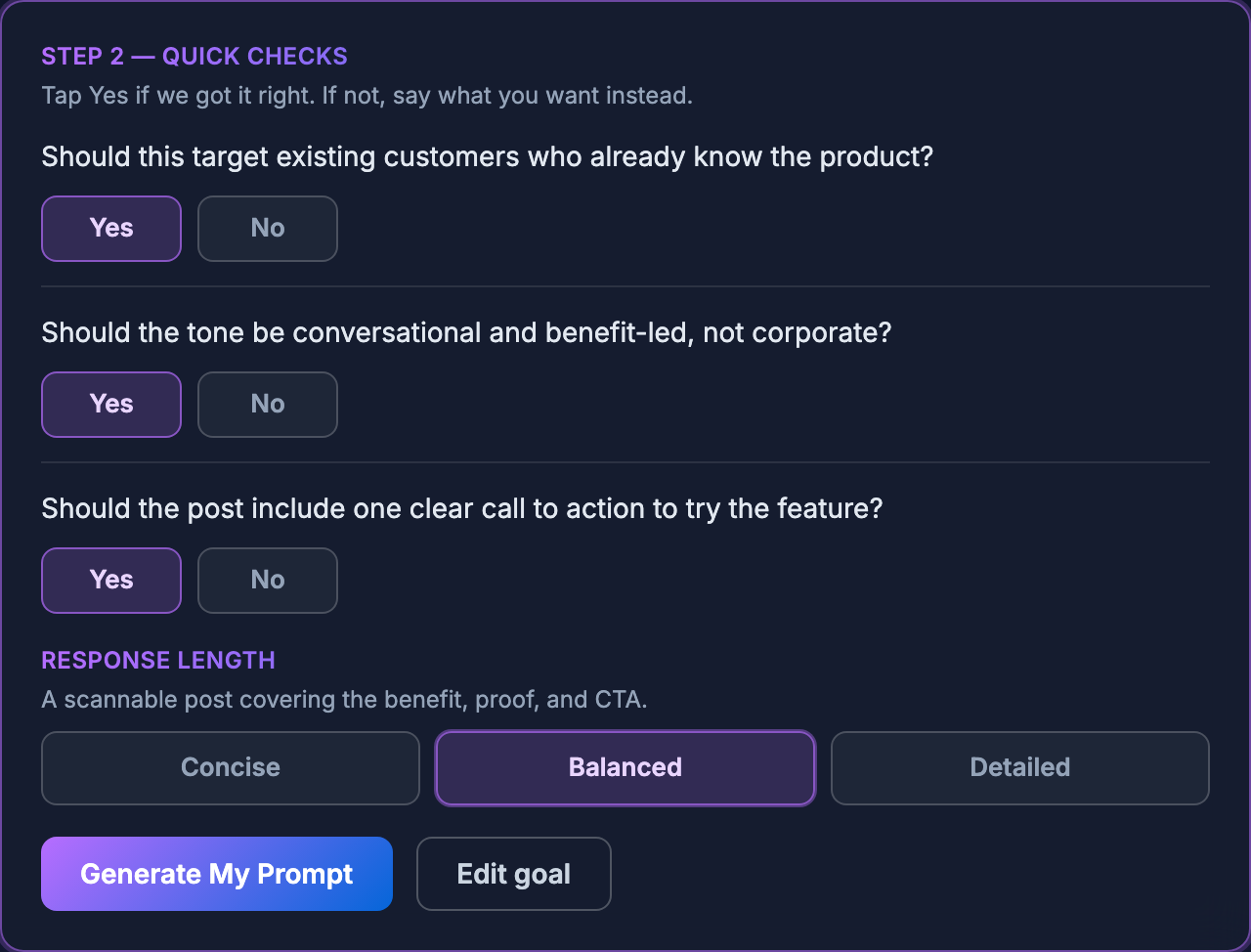
We route & refine
Auto-picks the right approach, asks only if it’s genuinely a toss-up.
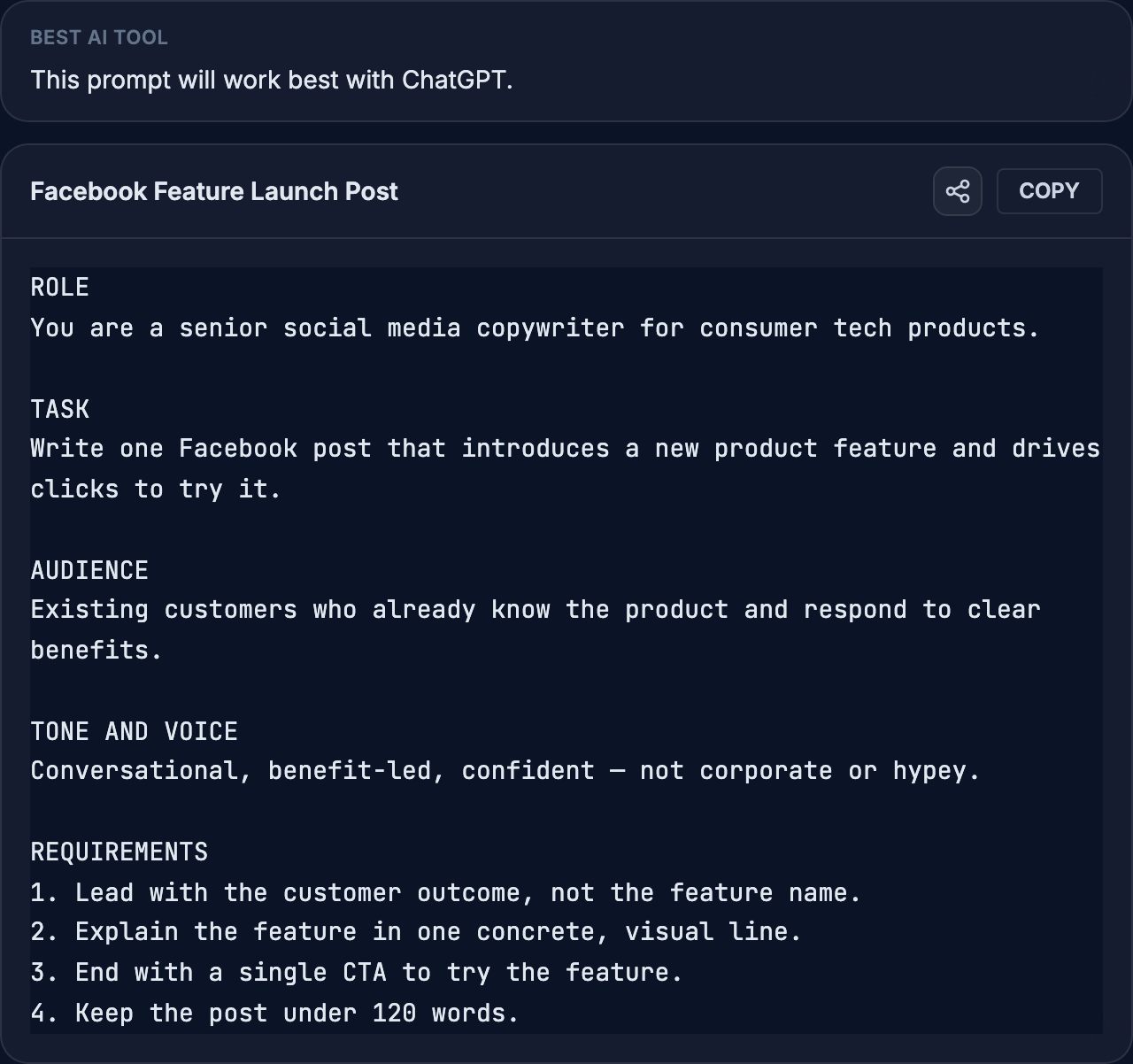
Paste a perfect prompt
Tuned for ChatGPT, Claude, Gemini & more.
Writing · Code · Images · Research · Audio. If you can describe it, we’ll route it.
History search
Find any prompt you saved, in seconds.
Every prompt you generate is saved to History. Type a keyword and get the matching prompts back, ranked by relevance. Reuse one without spending a generation.
- Searches titles and goals, so a half-remembered word is enough.
- Filter by Writing, Code, Images, Research, or Audio.
- Up to 500 saved prompts on paid plans, with CSV export.
App screenshots
See the AI prompt generator in action.
The images in this section are static screenshots from the app, not buttons or forms you can use on this page.
Sample data shown for illustration only.
Testimonials
What users are saying.
I got what I wanted in a clearer, more concise way than I normally would. The quality of the AI output was noticeably higher.
The prompt told the AI to respond like a senior developer. That one detail changed everything. I would never have thought to include it myself.
I typed one line and got back a prompt so thorough it covered angles I hadn’t even considered.
The quick checks caught the one thing I hadn’t specified. The final prompt hit exactly what I was after.
It translated exactly what I meant and turned it into something AI could actually work with.
Simple, honest pricing.
Free
10 prompt generations per month. Up to 500 characters per goal. No credit card, no commitment.
Creator
From AUD $9/month
40 prompt generations per month. Up to 1,000 characters per goal.
Pro
From AUD $25/month
100 prompt generations per month. Up to 1,000 characters per goal.
Max
From AUD $49/month
Unlimited prompt generations. Up to 1,000 characters per goal.
Transparent by design.
We use Anthropic Claude Sonnet via OpenRouter to generate your prompts.
Your goal is used only to produce your AI prompt. We never use your content to train our own models. You keep full ownership of everything you submit.
Account and prompt history are stored in Australia. AI processing may occur outside Australia. Full details in our Privacy Policy.
Common questions.
Ready to get better AI results?
Join solopreneurs, professionals, small business owners, and content creators already using BuildMyPrompt to get more from ChatGPT, Claude, Perplexity, Gemini, and Copilot. Start free, no credit card required.
Build my first prompt →